💡 Why can't I see this page?
This page is only displayed if it is enabled parametrically in the application settings.
The “Digital Card” feature replaces the use of a traditional physical card, allowing the employee to declare the start and end of their work day in a digital way, ensuring the accuracy of attendance.
The digital card option appears only if it is enabled parametrically in the application settings.
Time Recording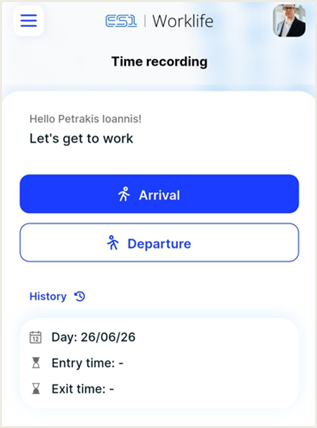
Declaring Presence
Arrival: By pressing the blue “Arrival” button upon your arrival at the workplace, the system records the exact start time of your work day.
Departure: Respectively, at the end of your working hours, you press the “Departure” button to finalize your work time recording for that day.
Current Day Overview
Below the arrival/departure buttons, there is a box with the current date and the recorded entry/exit times. If a field remains blank (e.g. “Exit time: -”), it means that the corresponding action has not yet been registered.
History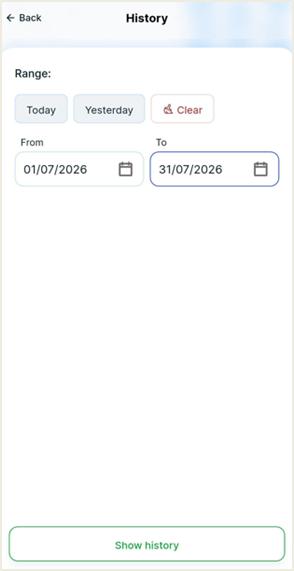
By clicking on the word “History”, you are transferred to a detailed screen where you can see the file of your previous recordings.
Filtering: You can select specific time intervals (e.g. "Today", "Yesterday" or a custom date range) to search for older records.
Details: The system displays a list of all recordings, displaying the date and time of each event, allowing you to check the correctness of your individual attendance.
Digital Card QR
The “QR Digital Card” module provides the employee with a personal and unique identification code, which facilitates the check-in/check-out process when entering and exiting the company's workplaces.
This option appears only if it is enabled parametrically in the application settings. If it does not appear, you should contact the system administrator.
Operation & Use
The digital card in the form of a QR Code replaces traditional plastic entry cards, offering security and speed:
Personal QR Code: Upon entering the module, you can view the unique QR code corresponding to the employee profile.
Identification: The user displays the screen of their mobile phone to the special readers (scanners) located at the company’s checkpoints.
Employee Details: Under the code, you can confirm the Full name, Company and employee Code.
Module Features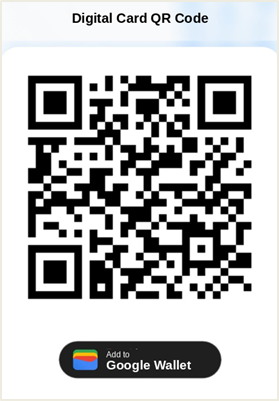
Add to Google Wallet & Apple Wallet: For even greater convenience and speed when entering/exiting the workplaces, the user has the ability to store their digital card in the Wallet of their device.
Apple Wallet (iOS): By pressing the special icon ("Add to Apple Wallet"), the card is saved in the iPhone Wallet app. It is directly accessible, even from the lock screen.
Google Wallet (Android): Respectively, Android users can add their card to Google Wallet for easy retrieval at any time.
Offline Access: The digital card is readily available through the application, eliminating the need to transfer physical documents or cards. The card in the Wallet is available even without an internet connection.
Note that:
The QR code is strictly personal. For reasons of safety and proper maintenance of the working hours in the ERGANI system, third parties are not allowed to share or use the code.