The “Account Settings” section allows you to customize your ES1 | Worklife experience to suit your personal needs and manage your profile security.
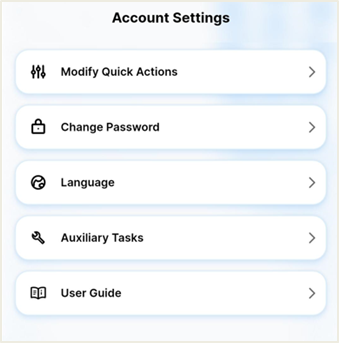
Modify Quick Actions 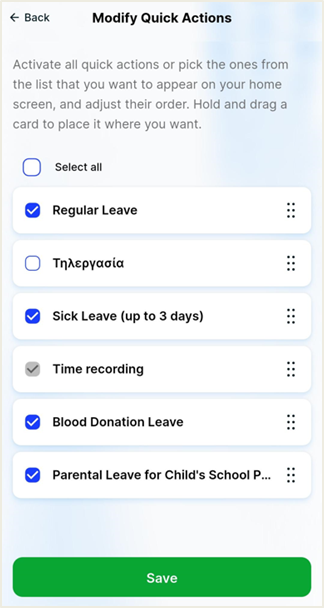
The app allows you to personalize your home screen by selecting which “Quick Actions” will be readily available.
Its main features are:
Select displayed actions: You can choose which specific cards (e.g. "Normal leave", "Sick leave", "Time recording") will appear on your home screen by selecting the corresponding check-boxes. There is also an option to “Select all”.
Re-ordering: You can change the order in which these features appear on your Dashboard using the drag-and-drop from the icon on the right of each card.
Finalizing changes: After completing your settings, press the green Save button at the bottom of the screen to apply the changes.
Change Password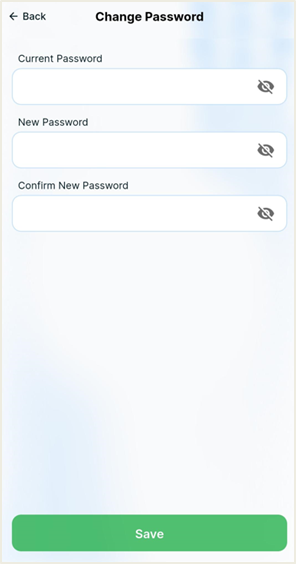
For security reasons, the application allows you to change your password at any time.
The process: To make the change, you will need to enter the “Current Password” for identification purposes, and then the “New Password” twice, for confirmation purposes.
Personalization: You can use the relevant icon next to each field to check the correctness of the characters you type before the final submission.
Updating it: Press the "Save" button to finalize your password change.
Language 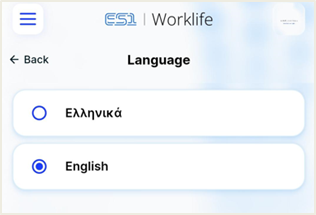
The application supports multi-language interfaces. The user can choose their preferred language (e.g. Greek, English). The application interface (menu, messages, titles) is automatically translated.
Auxiliary tasks 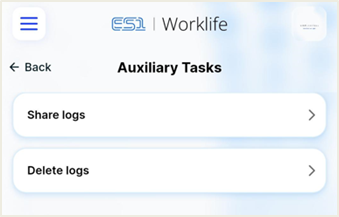
To resolve technical issues more quickly, the ability to view and send logs was added. The user can export their device's operation logs and send them to the support department.