The new version of the mobile app introduces three major new features: full time-off management, a customizable dashboard, and notification badges for team leaders. At the same time, calendars, date pickers, and the login flow have been improved, and confirmation dialogs have been added to critical actions for greater security.
New Features
Time off — full management
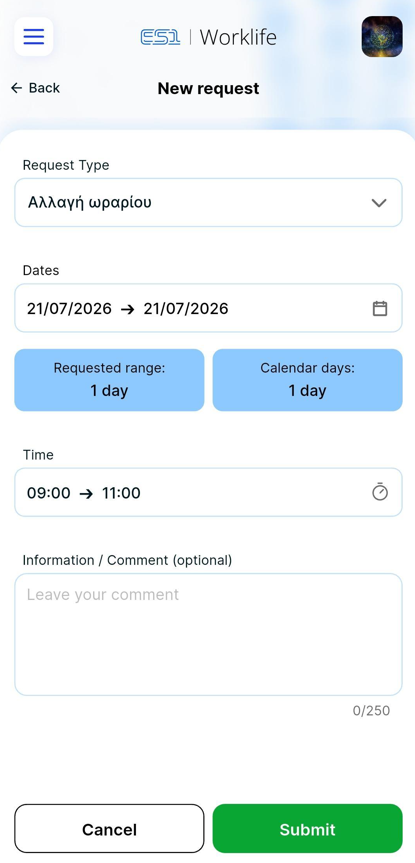
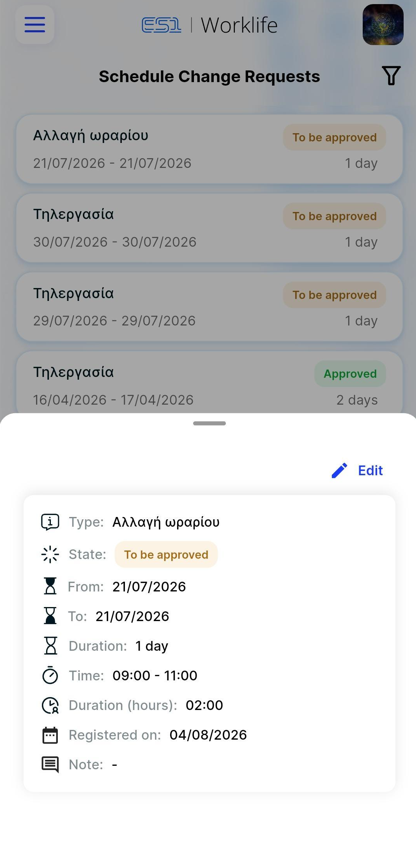
The app now fully supports time-off requests, from submission to approval and management. Employees can request specific hours of time off during a workday, while the manager receives a notification and can approve or deny the request directly from the app. Approved time off automatically appears on the team calendar.
.jfif)
Bulk request approval
When you long-press a request to manage it, an option appears on the side to select multiple requests for approval or rejection.
Configurable home page
Users can customize the dashboard to suit their needs. At the bottom of the home page, the “Configure dashboard” option appears, and the following changes can be made:
changing the order in which widgets appear using drag & drop,
changing the grid dimensions in Quick Actions so that they can accommodate more or fewer shortcuts, or
hide a widget
You can also enable the configurable home page by long-pressing a widget. Changes are saved on a per-user basis and remain in effect for subsequent logins.
Notification bell - Team leader
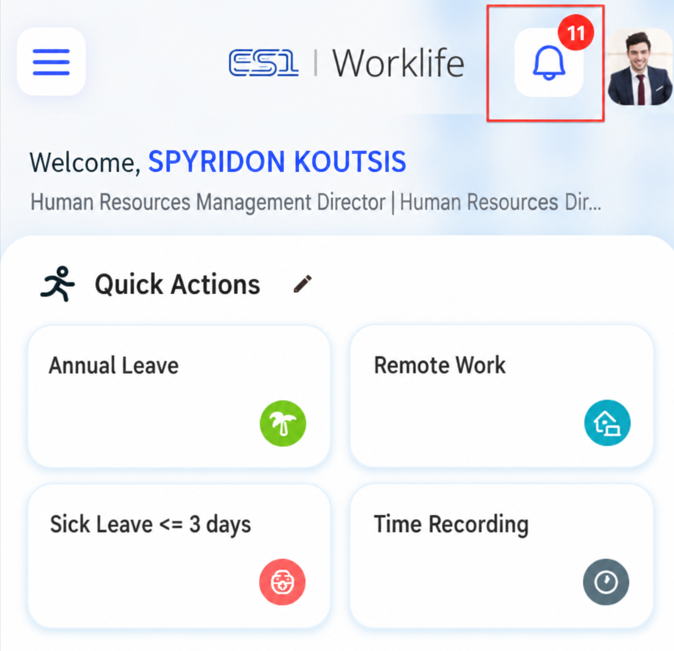
From the dashboard, team leaders always know how many requests are waiting for them—a number next to the notification icon keeps them updated in real time. Tapping it opens the list of pending requests directly, without any additional navigation steps.
Improvements
Calendar — show all
Now, employees without days off also appear during the month.
Date picker improvements
The date pickers have been redesigned for better usability on mobile devices. The changes apply to all parts of the app where a date picker is used.
Auto-login with valid cookie
When the user reopens the app and their session cookie is still active, the web login screen is bypassed and the user is automatically logged in.
Account Information in your profile
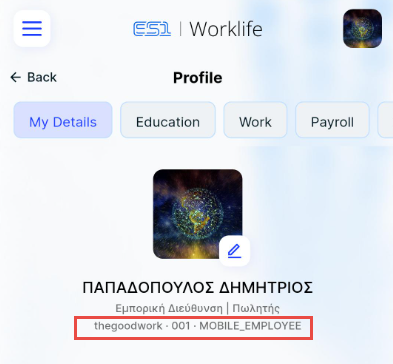
The account screen now displays the User ID and the subscription type the user is logged in with. This information makes it easier to contact support in case of a problem, since there is no need to look up the ID elsewhere.
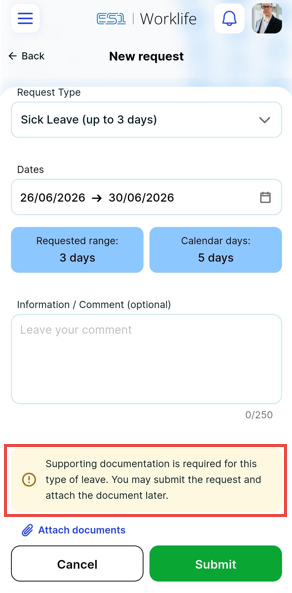
Notification for supporting documentation
For types of days off that require the submission of supporting documentation, a clear warning now appears during the application process. This ensures that the employee is informed in a timely manner that they must upload a file, thereby preventing the request from being rejected due to missing information.
UX & Confirmation Dialogues
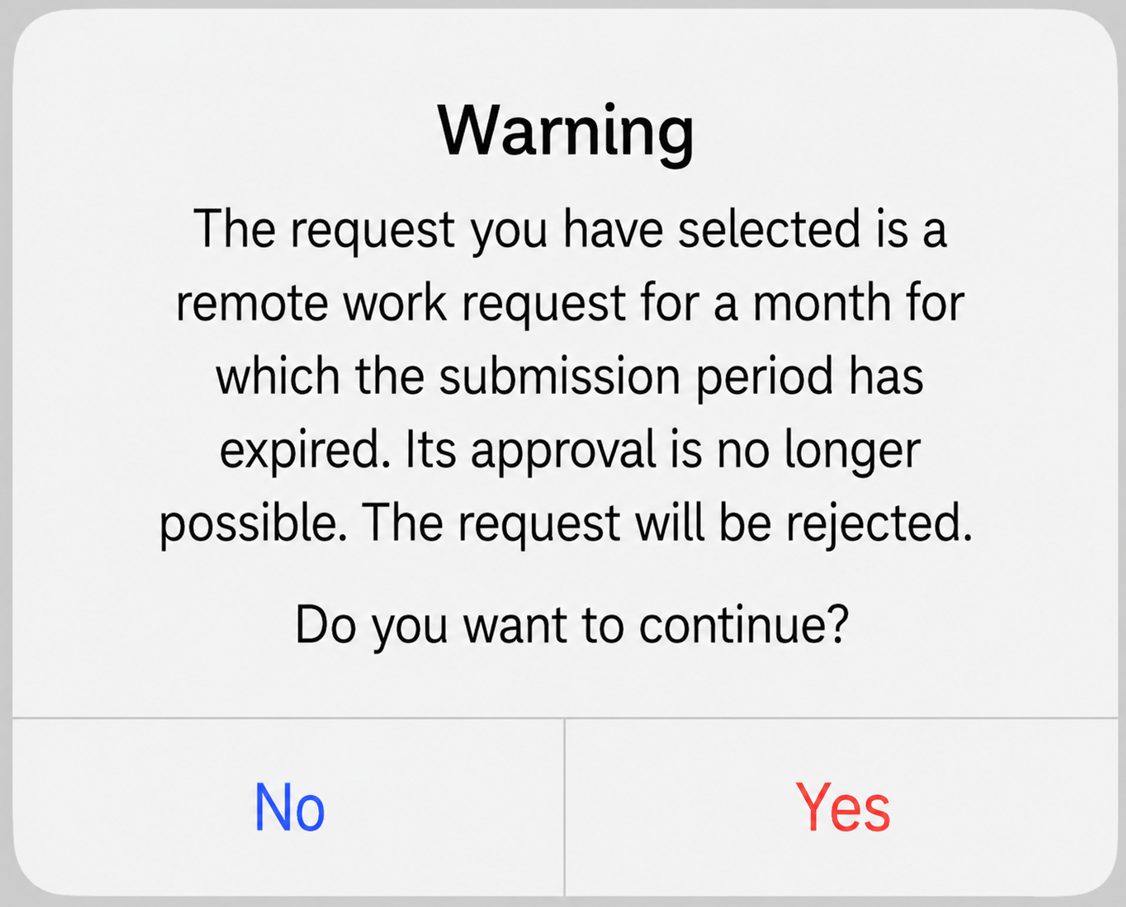
Confirming old remote work requests
Confirmation dialog that appears before the approval of older requests.
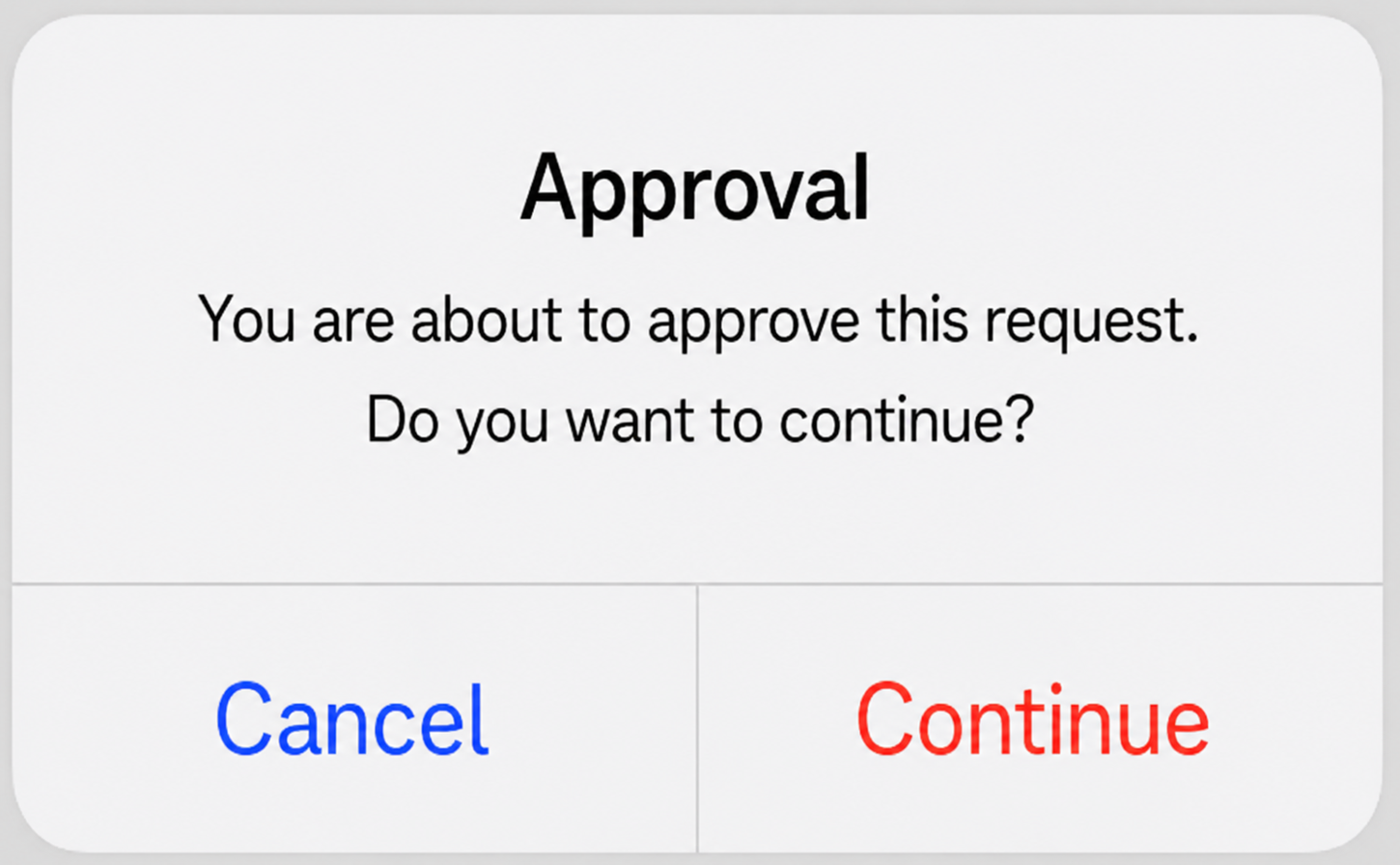
Confirming actions on team requests
Dialogue that appears before the approval or rejection of a group request.
Tap status bar for scroll-to-top (iOS)
On iOS devices, tapping the status bar (the bar with the time and network icons) now automatically returns you to the top of the page on all scrollable screens within the app.